giikpg.png?1790857036

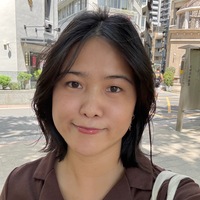
👩🏻‍💻 Code & Conquer with Teacher Shiela

Scratch for Kids,Python,C/C++

Introduction

Speaks
EnglishNative
ChineseB1 Intermediate
JapaneseA2 Elementary
Learn Coding Step by Step. Build Real Projects. Become a Confident Problem Solver. Hi! I’m Teacher Shiela, a Computer Engineering educator who helps kids, teenagers, and adults learn programming in a clear, practical, and enjoyable way. Whether you are completely new to coding, preparing for school, interested in game development, or ready to learn more advanced programming, I can create a learning path based on your level, interests, and goals. 🎓 PhD Candidate in Electronic & Computer Engineering at NTUST, Taipei 🎓 MSc in Electronic & Computer Engineering from NTUST 👩🏻‍🏫 6+ years of teaching experience 🏫 Former university lecturer with 5 years of university teaching experience 💻 2,000+ coding classes taught to kids, teenagers, and adults 🌏 Experienced in teaching STEM and non-STEM learners ⭐ Why Learn Programming With Me? My goal is not to make students simply copy code. I help students learn how to: ✅ Think logically and solve problems ✅ Understand what their code is doing ✅ Build confidence in writing programs independently ✅ Create games, apps, websites, and useful programs ✅ Explain their solutions clearly ✅ Develop skills for school, university, and future careers Students learn through guided practice, coding challenges, and real projects. 🚀 Courses Available 🐍 Python 💻 C & C++ 🎮 Scratch 🌐 HTML, CSS & JavaScript 🗄️ SQL & Databases 🎮 Roblox Programming 📱 App Development 🤖 Introductory AI & Machine Learning 🧠 Programming Logic & Problem Solving Courses are suitable for: 👧 Kids learning coding for the first time 🧑 Teenagers developing stronger programming skills 🎓 Students needing academic support 💼 Adult beginners and career changers 👩🏻‍💻 Learners preparing for advanced computer science topics 🎯 What Will Students Learn? 1️⃣ Programming Fundamentals Learn variables, conditions, loops, functions, data structures, and other essential concepts. 2️⃣ Problem Solving Learn how to break larger problems into smaller steps and develop logical solutions. 3️⃣ Real Projects Apply programming skills by creating: 🎮 Games 📱 Apps 🌐 Websites 📊 Business applications 🧮 Academic projects 🤖 AI-related projects 💻 Personal coding projects 🧠 How My Classes Work A typical lesson may include: 💬 Quick Q&A and review 👩🏻‍🏫 Clear concept explanation 💻 Live coding demonstration 🧩 Guided coding practice 🎯 Independent coding challenge 🚀 Mini project Students are encouraged to ask questions, experiment, make mistakes, debug, and discover different solutions. 🧩 Problem Solving Comes First I encourage students to: ✔ Break problems into smaller steps ✔ Plan before coding ✔ Create simple algorithms ✔ Debug their own programs ✔ Explain why their code works ✔ Compare different solutions My goal is to help students become independent programmers, not just code followers. 💬 Programming + Technical English Students can also practice: 🗣️ Explaining their code 📖 Understanding technical vocabulary 💡 Presenting ideas logically 🎤 Presenting programming projects 🌏 Using English confidently in technology and programming 👧 For Kids & Teenagers Lessons are visual, interactive, and project-based. Students may create: 🎮 Games 🎨 Animations 🧩 Interactive quizzes 🤖 Simple AI projects 📱 Apps 🌐 Websites 🖥️ Recommended Class Setup A laptop or desktop computer is recommended for most programming lessons. For kids and teenagers, a two-screen setup is highly recommended whenever possible. 🖥️ Screen 1: AmazingTalker lesson 💻 Screen 2: Coding environment The second screen can be another monitor, laptop, tablet, or iPad. This makes it easier to follow the lesson while coding without constantly switching windows. Most tools used in class are free, and I can guide students through the setup. 🐶 What Happens in a Trial Class? ✅ Discuss your goals ✅ Check your current skill level ✅ Try a short coding activity ✅ Identify the most suitable course ✅ Create a learning roadmap ✅ Discuss future projects ✅ Receive feedback and next steps 👩🏻‍🏫 My Teaching Philosophy Every student learns differently. Some learn best through challenges. Some prefer visual explanations. Others learn best by building projects. I adjust the pace, activities, and explanations based on each student. You do not need to be “good at computers” before joining. You only need to be willing to learn. 🌱 🚀 Ready to Start Coding? Whether you are learning for school, game development, university, your career, AI, or personal growth, I’ll help you build your skills one step at a time. 📩 Book a trial lesson and let’s create your programming learning roadmap together! Code. Create. Conquer. 🚀 More information: www.codenconquer.com

View full introduction

Group Lessons

Around 40% off compared to 1-on-1 lessons🔥 Limited discount seats!
Code & Conquer with Shiela [Practice Python Programming] [Learn Scratch Programming] 🚀 30% OFF❗️❗️❗️ group lessons (limited offer) 👥 2-3 Students ⚡️ Learn Programming Basics using Python/Scratch Language ⚡️ Enhance programming skills in Python/Scratch ⚡️ Thinking and problem-solving skills ⚡️ Build and create cool projects 🗒️ 10 lessons x 50 mins (review basic programming concepts, practice solving problems, build different projects) 😎 Why Group Lesson? - Meet new friends - Collaborate with others to build awesome projects and cool ideas - Accelerate learning - Foster teamwork I can't wait for you to join my class. If you have any questions, feel free to contact me!
View full course information
Learn more about this lesson
More available time slots
The more lessons you choose, the greater the discount is, check it down below or in the shopping cart!

Available times

View full schedule
Class videos can be downloaded
Videos from one-on-one courses can be downloaded within one year after the course ends, greatly enhancing your learning experience!
( This bonus only available for students who enable the class recording function)

258 Programming course reviews

  • Yankee
    Oct 2, 2026
    Sheila is very patient and flexible. She adjusts the lessons based on the progress and keeps the sessions interesting and engaging. We’re very happy with her teaching and the learning plan she has prepared for😊
  • Sheila is a very good and intelligent teacher. She basically knows everything about programming to AI and is always very patient and willing to answer any question the best she can and over any topic.
See all 258 reviews

Performance History

Resume

Experience

  • 2019 - 2024

    Faculty

    University of San Jose Recoletos

Education

  • 2022 till now

    Electronics and Computer Engineering Certificate Uploaded

    National Taiwan University of Science and Technology

  • 2020 - 2022

    Electronics and Computer Engineering Certificate Uploaded

    National Taiwan University of Science and Technology

Experience
  • 2019 - 2024

    Faculty

    University of San Jose Recoletos

Education
  • 2022 till now

    Electronics and Computer Engineering Certificate Uploaded

    National Taiwan University of Science and Technology

  • 2020 - 2022

    Electronics and Computer Engineering Certificate Uploaded

    National Taiwan University of Science and Technology

FAQ

How to book

  • After buying courses, you can book them according to the teacher’s schedule.
  • If “Instant Tutoring” shows on the teacher’s profile, you can book the lesson 30 minutes after the current time.
  • If the teacher is not online, the next available class cannot be booked until 24 hours afterward.

Lesson duration

  • The duration of a trial session is 25 minutes.
  • The duration of a private session is 50 minutes.
  • If you purchase more than 5 sessions, you will receive a discount (according to the price the teacher set).

Instructions

  • Enter the website 10 minutes before the class starts. Click “My Lessons” to find your class, click “Go to class”, and then you will be in the classroom on ZOOM!
  • You can use ZOOM for classes both on your phone and computer. Please download ZOOM in advance if you choose to use your phone for the class.

Refund policy

  • Please click “Report Issue” if you encountered any problems, and the teacher will determine either reschedule or refund afterward.
  • If the teacher doesn’t respond the issue, we will provide a full refund as AT credits for you.
How to book
  • After buying courses, you can book them according to the teacher’s schedule.
  • If “Instant Tutoring” shows on the teacher’s profile, you can book the lesson 30 minutes after the current time.
  • If the teacher is not online, the next available class cannot be booked until 24 hours afterward.
Lesson duration
  • The duration of a trial session is 25 minutes.
  • The duration of a private session is 50 minutes.
  • If you purchase more than 5 sessions, you will receive a discount (according to the price the teacher set).
Instructions
  • Enter the website 10 minutes before the class starts. Click “My Lessons” to find your class, click “Go to class”, and then you will be in the classroom on ZOOM!
  • You can use ZOOM for classes both on your phone and computer. Please download ZOOM in advance if you choose to use your phone for the class.
Refund policy
  • Please click “Report Issue” if you encountered any problems, and the teacher will determine either reschedule or refund afterward.
  • If the teacher doesn’t respond the issue, we will provide a full refund as AT credits for you.

Similar Tutors

AI Tutor Matching

Tell us your needs and we will match you with 3 ideal tutors in 30 seconds!
25 mins
50 mins
Contact tutor